If asking customers for reviews makes your stomach flip, you’re not alone. Most small business owners worry they’ll sound needy, pushy, or like they’re begging for praise.
The truth is simpler: Google reviews help people trust you before they ever call, click, or walk in. They raise your close rate, and they can help you show up in local SEO when someone types “near me.” A steady flow of recent reviews also boosts your online visibility and makes your business look active and well-run. Learning how to ask for reviews is a crucial step in this process.
This Small Biz Tipster guide shows you how to ask for reviews in a way that feels normal and improves your search visibility. You’ll get ready-to-use scripts for text, email, and in-person asks, plus simple rules for timing, tone, and one follow-up that doesn’t annoy people.
In this post, we’ll explore how to ask for Google reviews effectively.
Table of Contents
Set yourself up so asking for reviews feels natural, not salesy
A review request feels awkward when it comes across as a favor. It feels normal when it sounds like the next step in good service. Your job is to make the ask small, clear, and easy to say yes to.
Start with this mindset shift: you’re not asking customers to “help you out,” you’re asking them to share their experience so the next person can choose with confidence. That’s it. No long story, no pressure, no guilt. This approach turns online reputation management into a natural business process.
Before you send anything, do a quick prep pass. It keeps you from rambling, and it stops the “wait, where’s my link?” scramble.
Here’s a simple checklist to run every time:
- Pick one review site you want to focus on (one link only), such as your Google Business Profile.
- Save the review link in your phone notes, email template, and invoice footer.
- Decide your trigger moment (right after the win, not days later).
- Personalize one detail (their first name, the service, the result).
- Keep it under 30 seconds from open to posted.
- Know your line if they hesitate (“No worries either way.”)
You’re building a repeatable habit, not writing a perfect message.
How to Ask for Reviews: Pick the right moment, and make it about the customer’s win
Timing does most of the work. Ask when the value is fresh, and the customer is calm.

The best moments usually look like this:
- Right after a compliment: They’ve already told you they’re happy, you’re just guiding the next step.
- Right after you solve a problem: If you fix a mix-up quickly, the turnaround becomes the story.
- After delivery or completion: The job is done, the product arrived, the appointment ended.
- After a repeat purchase, Loyalty is a signal that provides social proof; repeat customers often write the best reviews.
When not to ask: during delays, while you’re still “waiting on parts,” or before results show up. If they’re stressed, you’ll feel stressed when you ask. Ask for their customer feedback when they’ve had a positive customer experience to share.
A simple rule you can use: ask when they’ve gotten what they came for, and nothing is on fire.
Remove friction: choose one review site and make it one tap away
People don’t avoid reviewing because they hate you. They avoid it because it feels like homework.
Choose one main platform that fits your business:
- If you serve a local area, Google is usually the best first pick.
- If you’re in a niche (weddings, trades, healthcare, home services), an industry site may matter too, but start with one.
Then make the path short:
- Use a short link (or QR codes for print).
- Keep it in your phone for quick texts.
- Add it to your email signature or a saved reply.
- Put it on invoices, receipts, point-of-sale displays, or your thank-you page.
Your message should be one link, one sentence, one clear ask. If it takes longer than 30 seconds, people drift.
How to Ask for Reviews: Scripts for Text, Email, and In-Person (Copy, Paste, and Send)
If you’ve ever overthought this, it’s because you’re trying to sound “professional” and “nice” at the same time. The best review requests sound like a real person who’s proud of their work.
Two guardrails keep you safe: don’t offer incentives like gifts or discounts for reviews, and don’t tell people what rating to leave. Most platforms have rules against incentivized or coached reviews, and it can backfire.
Create personalized messages using these scripts, including (Name), (Service), and (Result). Then hit send.
SMS messaging scripts that get quick yeses without pressure
SMS messaging works because it’s quick. Keep them that way, and send during normal hours (mid-morning to early evening).
- Same-day service: “Hi (Name), thanks again for choosing us for (Service) today. If you can spare 30 seconds, would you leave a quick testimonial? (Link)”
- After an appointment: “Hey (Name), glad we could help with (Issue). Would you mind sharing your experience in a short review? It helps a lot. (Link)”
- After a delivery: “Hi (Name), your (Product) should be in. If everything looks good, could you leave a quick Google review here? (Link)”
- After a compliment: “Thank you for saying that, it means a lot. If you’re open to it, could you copy that into a quick review? (Link)”
- Repeat customer: “(Name), I really appreciate you coming back. If you’ve got a minute, would you leave a review about what it’s been like working with us? (Link)”
- Low-pressure option: “If you don’t have time for a review, no worries. If you do, here’s the link; it helps others find us. (Link)”
Email templates that work for both local services and online businesses
Still stuck on how to ask for reviews? These email templates give you room for context, but you still want it short. Keep the body under 120 words, and make the link easy to spot.
Email template 1 (completed job)
Subject: Quick favor, could you share a review? (Craft subject lines like this for higher opens)
Hi (Name),
Thanks again for choosing us for (Service). If you were happy with the result (Result), would you leave a short review? It helps people who are comparing options, and it tells us what to keep doing.
Here’s the link: (Review Link)
Thanks,
(Your Name)
(Business Name)
P.S. If anything feels off, reply to this email and let me know. I read every note.
Email template 2 (online order or project)
Subject: How did (Product or Project) turn out?
Hi (Name),
I hope you’re enjoying (Product) or seeing progress with (Project). If you have a minute, would you share an honest review? It helps other customers know what to expect, and it helps us improve.
Leave a review here: (Review Link)
Thank you,
(Your Name)
P.S. If there’s a problem, hit reply and I’ll make it right.
In-person scripts that sound confident, even if you hate asking
In person, your tone matters more than your wording. Say it like you’re offering a simple next step.
- At checkout: “If you were happy today, would you leave us a quick Google review? I can text you the link.”
- End of a job: “Before I head out, if you feel good about the work, a short review helps a lot. Want me to send the link?”
- When they praise you: “Thank you, I’m glad it worked out. If you’re willing, could you share that in a review? I can send the link right now.”
If they hesitate: “No worries either way, I appreciate you.”
Follow up the right way, responding to reviews, handling bad feedback, and staying within the rules
Most positive reviews come from two things: good timing and one gentle reminder. Not five reminders, not an automated review request that feels like spam.
You also need a plan for the review you don’t want. Responding to reviews calmly protects your reputation more than a perfect score does.
Do not answer a review when you are angry or hurt by a bad review.
How To Ask For Reviews: A simple follow-up schedule that doesn’t annoy people
Use this cadence to encourage more positive reviews:
- Send the first review request when the job is done, and they’re happy.
- If there’s no response, send one follow-up in 2 to 4 days.
- Stop after that.
Track requests with a quick note in your CRM, spreadsheet, review management software, or even a phone note, so you don’t double-ask.
Follow-up text: “Hi (Name), quick reminder in case you missed this. Here’s the review link, and thank you either way. (Link)”
Follow-up email subject: Quick reminder, review link inside
Body: “Hi (Name), just bubbling this up in case it got buried. Here’s the review link: (Link). Thanks again for your business.”
What to do when the review is negative (and how to ask for a second chance)
Don’t argue. Don’t get cute.
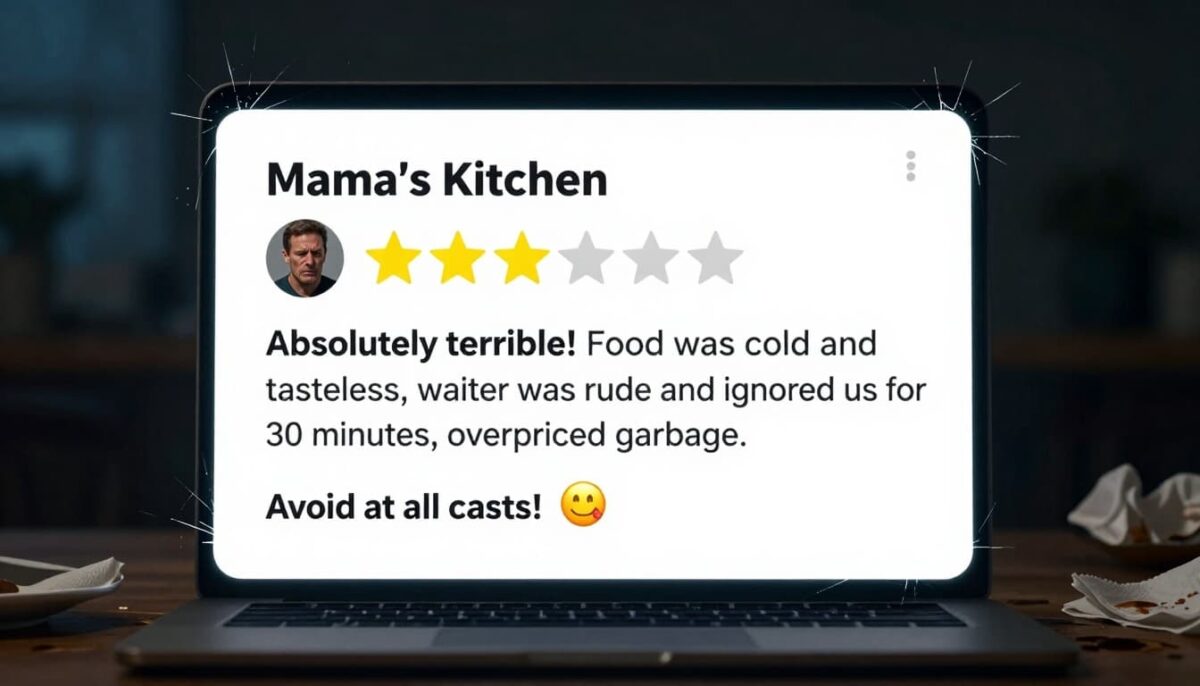
Use a simple three-step reply when responding to reviews that are negative reviews:
- Thank them for the customer feedback.
- Own what you can (even if it’s only the experience).
- Offer the next step offline (call, email, direct line).
Public reply template (2 to 4 sentences):
“Thanks for sharing this, (Name). I’m sorry your experience didn’t meet your expectations. I’d like to understand what happened and, if I can, fix it. Please contact me at (Email or Phone) so we can make this right.”
Private message script (after you fix it):
“Thanks again for giving us a chance to fix this. I’m glad we were able to (Resolution). If you feel we handled it well, you can update your review to reflect the outcome, but there’s no pressure.”
You’re not asking them to delete a negative review; you’re asking them to update it once the problem is solved.
Conclusion: How To Ask For Reviews
You don’t need a perfect speech to learn how to ask for reviews. You need a small system: pick the right moment, like purchase confirmation emails; keep one link ready on your landing pages; send a short script; then follow up once and stop.
Choose one script from this post today, focusing on Google reviews. Send it to three recent customers who had a clear win with you. You’ll be surprised how many people are willing to help when the ask is simple. This approach can also improve your Yelp rating and boost your search engine visibility for long-term growth.
Mastering how to ask for customer reviews opens doors to B2B customer testimonials and video testimonials once you nail text-based ones. Asking for reviews isn’t an awkward favor; it’s part of good service, and you’re giving future customers the confidence to choose you through these valuable testimonials.
Disclosure: This Small Biz Tipster blog post contains affiliate links. I may earn a commission from qualifying purchases at no extra cost to you. Some sections were drafted with AI tools and carefully reviewed/edited by me.

I’m Lisa Sicard, founder of Inspire To Thrive.
Small Biz Tipster is my dedicated space for straightforward, no-nonsense tips that help small business owners grow smarter and faster. Voted in the Top 100 Small Business Blogs by Feedspot for 2025 and 2026, and with over 30 years of hands-on digital marketing experience, I share simple strategies here so you can save time on social media, attract more customers, and focus on what you love — running your business. Through Inspire To Thrive, I also provide social media management, training, and consultations.