More people than ever work from home; freelancers, small business owners, and remote employees alike. After a move, the difference between “I have a laptop on a table” and a workspace you can actually use is a short, practical plan.
This home office setup guide walks you through what to do first after you move in, how to choose a location (even in a small apartment), what equipment to buy, how to set up your desk so your body isn’t fighting you, and how to keep work and home from bleeding into each other.
A home office does not have to be a spare bedroom with a door. It can be a bedroom corner, a dining table you claim during work hours, a closet office, or a temporary setup you pack away at night. The goal is the same: a place where you can work in peace, stay reasonably comfortable, and find your files when you need them.
Table of Contents
What to Do First After Moving Into Your New Home Office
Unpacking the whole house before you can work is a fast way to lose billable time. Treat the office as a priority room.

First day
- Choose the room or area before opening every box.
- Measure the space, doorways, and window placement.
- Check outlets, Wi-Fi coverage, and whether the internet is actually live.
- Set up a minimum workspace: a laptop, a charger, a chair, and a surface.
- Place the desk near natural light, but not so the window sits directly behind or in front of your screen.
- Test the connection with a speed test and, if you can, a short video call.
First week
- Assemble the real desk and chair before you decorate.
- Add lighting, a power strip or surge protector, and cable management.
- Create one place for work documents and supplies so they don’t get lost in moving boxes.
- Do a full workday in the setup and note what hurts, glares, or distracts you.
- Adjust one thing at a time: chair height, monitor height, lamp position, or desk placement.
First month
- Add storage for receipts, invoices, and client files.
- Set work hours and a shutdown routine.
- Improve noise, privacy, and video-call background.
- Back up important files to the cloud.
- Revisit anything that still causes discomfort or clutter.
If income depends on this space, unpack the office before the guest room décor.
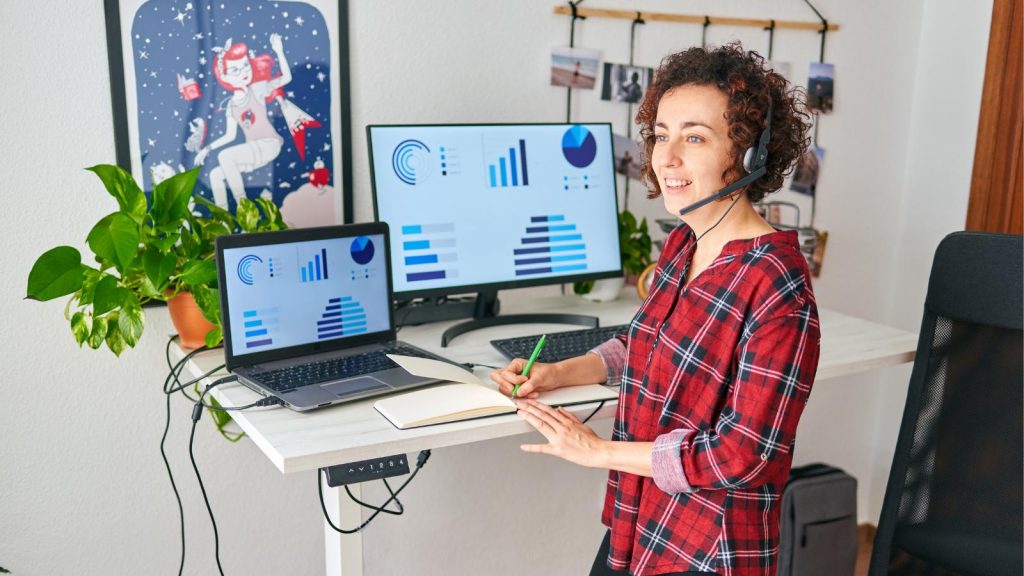
Choose the Right Location
Are you setting up a home office for remote work? The best location is quiet enough to think, bright enough to work, and close enough to power and internet.
Separate room. Best for privacy, video calls, and (if you are self-employed and meet IRS rules) a clearer path to a home office deduction. A door you can close is worth more than fancy furniture.
Bedroom corner. Works if you can keep the bed out of the camera’s view and pack the work away at night. Use a room divider, folding screen, or bookcase to create a visual boundary.
Dining room or living room. Fine for a laptop-heavy day, weaker for long computer sessions and confidential calls. You’ll need a schedule the household agrees on.
Shared workspace. Two people can share a room if you split hours, use headphones, and keep supplies in labeled zones.
Avoid, if you can: a dark basement with no ventilation, a high-traffic hallway, or a spot where every family conversation happens behind your chair.
Look at flooring too. Hard floors (laminate, vinyl, hardwood) are easier to clean if you craft, ship products, or drop hardware. Carpet can be quieter and warmer, but it is harder to clean after a spill.
Home Office Equipment Checklist
You do not need every item on day one. Start with what lets you work, then add comfort and business tools.
Start with these
- Desk or sturdy table
- Supportive chair
- Computer (laptop or desktop)
- Reliable internet
- Task lighting
- Power strip or surge protector
- Notebook, pens, and a charging cable you can actually find
Add these if your work requires them
- External monitor
- Separate keyboard and mouse
- Webcam and headset
- Ethernet cable or mesh Wi-Fi
- Printer
- Filing cabinet or lockable storage
- Drawing tablet, second work surface, or product-photo setup
Add these for comfort
- Laptop stand or monitor riser
- Footrest
- Cable clips and cord organizers
- Curtains or blinds
- Water bottle
- A plant that can survive some neglect

Three budget levels
Low-cost setup. Use an existing table, a purpose-made laptop stand (books are a short-term stand-in), a chair with a cushion and lumbar pillow, a desk lamp, and cheap cable ties. This is enough to work while you decide what is worth buying.
Comfort-focused setup. Ergonomic chair, external monitor, external keyboard and mouse, better task lighting, and a surge protector. This is the sweet spot for most remote workers.
Business-ready setup. Larger or L-shaped desk, filing storage, backup internet (phone hotspot), decent webcam and headset, and a locked place for client records.
Expensive furniture is not the only path to a productive office.
Quick comparison
| Need | Basic choice | Better choice | What to consider |
|---|---|---|---|
| Work surface | Existing table | Adjustable or larger desk | Space, monitor room, standing option |
| Chair | Supportive chair + cushion | Adjustable ergonomic chair | How many hours you sit |
| Screen | Laptop | External monitor | Neck position and window glare |
| Internet | Wi-Fi | Ethernet or mesh system | Video calls and file transfers |
| Lighting | Desk lamp | Task light + softer room light | Glare at different times of day |
| Storage | Bins or a drawer | Filing cabinet or locked shelf | Paperwork and privacy |
Choose a Desk That Fits Your Work
The desk sections in the old version overlapped. Use one decision: how you work, how much space you have, and whether the desk has to disappear at night.
Small desk. Best for a laptop and notebook in a tight room. Many come with a drawer or shelf. Downside: not much room for a monitor, keyboard, and paperwork at once.
Standing or adjustable desk. Useful if you like to change position. Standing is one option, not a cure for back pain and not a substitute for walking around. Some units are bulky and pricey.
L-shaped desk. Good if you need two surfaces — computer work on one side, packing, drafting, or paper on the other.
Foldable or wall-mounted desk. Strong for renters and studio apartments. Tradeoff: less depth for a monitor and keyboard, and you have to set it up every day.
Existing table or console. Perfectly fine to start. If the table is too high or too low, fix the chair and add a laptop stand before you buy a new desk.
Creative or messy work. Designers, makers, and people who ship products often need a second surface and easy-to-clean flooring. A graphic desk needs vertical clearance and strong light more than it needs width.
If you can, sit at a candidate desk for 20 minutes before you buy it. A desk that looks great in a photo can still put your shoulders up around your ears.
Related reading on the site: office desks with drawers.
Set Up an Ergonomic Workspace
An “ergonomic desk” is less important than how you position the chair, screen, and keyboard. Guidelines from sources such as OSHA and Mayo Clinic are consistent on the basics:
- Feet supported on the floor or a footrest; knees near a right angle.
- Chair height so your thighs are roughly parallel to the floor.
- Elbows close to your body, forearms roughly parallel to the floor.
- Wrists neutral — not bent up or down while typing.
- Monitor about an arm’s length away.
- Top of the screen at or slightly below eye level.
- If you use a laptop all day, put it on a stand and add an external keyboard and mouse.
- If you wear bifocals, you may need the screen a bit lower.
A chaise lounge and coffee table can be a nice reading or thinking spot. They are a poor primary workstation for long days at the computer. Keep the comfort furniture if you love it; make the computer setup the one that supports your neck and back.
I learned this the hard way. After sciatica problems, I sit upright in an ergonomic chair and keep a stool under the desk so my feet have support. The chair mattered more than any decorative piece in the room.
Stand, stretch, or walk during the day. A standing desk helps only if you actually change positions.
More on seating: office seating options.
Improve Lighting, Temperature, and Airflow
Lighting
Natural light is still the best starting point. Place the desk beside a window when you can, not directly in front of a bright window. Keep the monitor perpendicular to the window so you are not staring into glare or seeing the window reflected on the screen.
Use a desk lamp for paperwork. Add softer room lighting so the screen is not the only bright thing in the room. Adjust brightness throughout the day; morning and late-afternoon light are not the same problem.
LED bulbs are efficient and usually a good choice. What causes eye strain is more often glare, a screen that’s too bright against a dark room, flicker from a poor-quality bulb, or light shining straight into your eyes; not the simple fact that a bulb is LED. Use adjustable lamps and avoid pointing a bright source at your face.
Temperature and air
There is no one perfect office temperature. Aim for a room you can sit in for a few hours without a sweater or a fan blasting you. Open a window when the air feels stale. Keep vents clear. Computers and monitors generate heat, especially in a small, enclosed room. A fan or air purifier can help; a workspace with no airflow will feel worse by mid-afternoon.
Internet, Video Calls, and Power
A beautiful desk does not help if the call drops.
- Test speed and reliability in the actual office location, not just next to the router.
- Place the router as centrally as you can; hiding it in a cabinet often weakens the signal.
- Use Ethernet for important video calls when Wi-Fi is unstable.
- Keep a phone hotspot as a backup, or arrange temporary business internet to cover the gap, especially in the first week after a move, when the new ISP installation can slip.
- Test the webcam and microphone before a client meeting.
- Choose a tidy, well-lit background. A blank wall, a bookshelf, or a simple plant beats a pile of moving boxes.
- Reduce echo with a rug, curtains, or a fabric room divider.
- Plug computers and monitors into a surge protector. Label the power strip so you can shut the desk down at the end of the day.
Hybrid work in 2026 still means cameras, shared calendars, and the occasional day when everyone is on a call at once. Build for that even if you only need video twice a week.
Organize Supplies and Business Records
Shelves and drawers are not the same as a records system.
Paper. Use a filing cabinet or a lockable box. Label folders for invoices, receipts, taxes, and client documents. Keep confidential paper out of the kitchen counter pile.
Digital. Create a separate business folder (or a separate user account). Use consistent names: 2026-04-client-invoice.pdf beats scan003.pdf.
Backups. Cloud storage plus one other copy is enough for most small businesses. Don’t keep the only copy of a contract on a laptop that also rides in the car.
Security basics. Strong password and two-factor authentication. Lock the screen when you walk away. Don’t take confidential calls in a shared room if other people can hear. Renters can still use a small lockable file box.
Routine. Pick a weekly time to scan, file, and delete what you no longer need.
If you are self-employed and use the space exclusively and regularly for business, you may be able to claim a home office deduction. Employees generally cannot take that federal deduction. Keep records either way, and check current IRS Publication 587 or a tax professional before you claim anything.
Related: remote work security.
Tips for Setting Up a Home Office: Make the Space Comfortable and Personal
This is where the office starts to feel like yours.
My favorite quote nearby is: “Faith, to hope for things which are not seen but are true.” Another is: “Effort = Results” — Roger Penske. Family photos, a vacation picture, or a piece of art can do the same job: remind you why the work is worth sitting down for.
Keep it practical:
- One or two low-maintenance plants.
- Colors that feel calm enough to focus (you don’t need a design-theory lecture; if the room makes you restless, simplify it).
- A video-call background that looks tidy.
- Curtains or blinds you can actually close against glare.
- Personal items that don’t turn the desk into a storage unit.
If you want a more themed space, the site’s man cave office productivity post is a different angle on the same idea: make the room one you want to enter.
Create Better Work-From-Home Habits
The furniture only works if the day has edges.
- Set regular start and stop times, even after a move when the boxes are still in the hall.
- Get dressed before you start. It is a small cue that work has begun.
- Keep water and a simple snack nearby so you don’t end up on a 40-minute kitchen detour.
- Use a timer for focused work (25–50 minutes is plenty).
- Schedule short breaks, then return.
- Track time if you tend to work too late. A 15-hour day is not a badge.
- Keep household chores outside work blocks.
- Shut the computer down at the end of the day. Closing the laptop is a boundary, especially in a shared room.
Small Home Office Setup Ideas
If the article promises small-space tips, it should give them.
- Foldable or wall-mounted desk
- Desk with built-in drawers or shelves
- Narrow console used only during work hours
- Rolling cart for supplies
- Vertical shelving
- Laptop stand that stores in a drawer
- Room divider or bookcase as a wall
- Closet office (a door you can close is a gift)
- A “pack away” setup: laptop, stand, and a bin that lives in a closet overnight
Tradeoffs matter. A fold-down desk saves floor space and may not fit a monitor and keyboard. A shared-room setup costs less and needs stronger household rules. A closet office is private and can feel cramped; add a lamp and leave the door open when you need air.
More ideas: home small office ideas.
Home Office Setup FAQ
How much does it cost to set up a home office after moving?
A usable setup can start with furniture you already own, plus a lamp, a surge protector, and a laptop stand. A comfort-focused setup (chair, monitor, keyboard, lighting) is the next useful step. Spend first on the chair and the screen, not décor.
What if I don’t have a separate room?
Use a corner, a dining table with a defined schedule, a room divider, and headphones. The location is less important than a repeatable routine and a place to put work away.
Do I need fast Wi-Fi?
You need reliable Wi-Fi. Video calls and large uploads fail on an unstable connection more often than on a merely average one. Test in the office, not in the kitchen.
Should I buy noise-canceling headphones?
Yes, if you share walls, kids, or roommates. They are cheaper than a renovation.
How should I store receipts and client files?
Paper in labeled folders, digital files in a dedicated business folder, cloud backup, and a lock for anything confidential.
Are plants worth it?
One hardy plant is enough. It helps the room feel finished and can look better on camera than a blank corner.
Should I get dressed for remote work?
It helps most people switch into work mode. You don’t need a suit. You do need a signal that the day has started.
Can I deduct a home office?
Often only if you are self-employed and the space is used regularly and exclusively for business. W-2 employees usually cannot claim it at the federal level. Confirm with current IRS rules.
Final Setup Test
After the boxes are out of the way, spend one full workday in the new setup and ask:
- Can you work without glare at more than one time of day?
- Does your neck or back hurt by late afternoon?
- Can you reach the things you use most?
- Is the internet reliable enough for a call?
- Can you store work materials without leaving them on the kitchen table?
- Can you finish the day without turning the whole room into a pile?
Then change one thing. A good home office setup does not have to be perfect on moving day. It has to be good enough to work, then a little better each week.
What is the one thing that made your new office usable: the chair, the door, the internet, or the lamp? That is usually the item to buy first after the next move. I’d love to hear about it in the comments below.
Disclosure: This Small Biz Tipster blog post may contain affiliate links. I may earn a commission from qualifying purchases at no extra cost to you. Some sections were drafted with AI tools and carefully reviewed/edited by me.

I’m Lisa Sicard, founder of Inspire To Thrive.
Small Biz Tipster is my dedicated space for straightforward, no-nonsense tips that help small business owners grow smarter and faster. Voted in the Top 100 Small Business Blogs by Feedspot for 2025 and 2026, and with over 30 years of hands-on digital marketing experience, I share simple strategies here so you can save time on social media, attract more customers, and focus on what you love — running your business. Through Inspire To Thrive, I also provide social media management, training, and consultations.