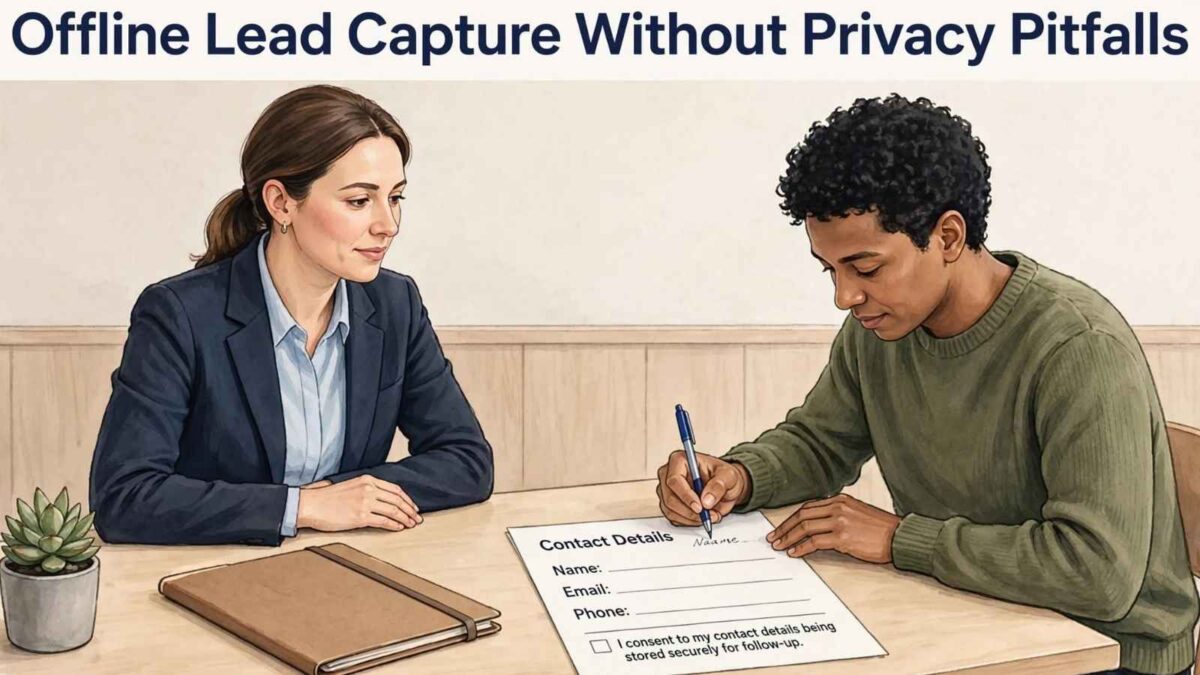
Offline lead capture helps businesses collect useful contact details at trade shows, pop-up events, and retail activations, even when internet access is unreliable. Yet paper forms, badge scanners, and kiosks can create privacy gaps if teams collect more information than necessary or fail to explain how it will be used.
A clear process protects attendees while giving sales teams accurate, usable records.
Table of Contents
Lead Capture Strategies by Mapping Your In-Person Data Points
List every place where attendee information enters your system. Common sources include:
- Registration desks.
- Prize drawings.
- QR codes.
- Badge scans.
- Tablet forms.
Resources covering offline event tools can help you identify collection methods that may otherwise be overlooked.
For each point, record what you collect, why you need it, where it goes, and when it gets deleted. A product demonstration may require a name and email address for follow-up, while a scheduled consultation might also need a company name and phone number.
Avoid collecting home addresses, birth dates, or personal preferences unless they serve a defined business purpose. Assign one employee to maintain this map as event plans change.
Clarify Consent at Digital Kiosks for Event Lead Capture
Place a short privacy notice directly above the submission button, where visitors can read it before sharing their information. State who will contact them, what type of messages they’ll receive, and how they can unsubscribe. Keep optional marketing consent separate from any information required to book a meeting or receive requested material.
Kiosk placement also affects privacy. Screens should face away from busy aisles and queues shouldn’t force visitors to stand close enough to read another person’s form. During booth planning, coordinate data-station locations with your event organizer and a trade show labor company so power access, display installation, and visitor flow support discreet data entry.
Test every consent message on the actual screen size before opening the exhibit.
Secure On-Site Hardware and Cabling
Lock tablets and scanners into stable mounts, use privacy screens where appropriate, and route cables so attendees can’t unplug or access equipment. Each device should require a strong passcode and automatically lock after a short idle period. Disable saved passwords, personal email accounts, and unnecessary apps before the event.
Offline systems need equal care. Some booth lead capture tools store records locally until a connection is restored, so confirm whether stored files are encrypted and how staff can erase them remotely if a device is lost or stolen. Keep a device inventory with serial numbers and assigned users.
At closing time, count all equipment and place it in locked storage rather than leaving it in an unattended booth.
Train Staff on Verbal Disclosures
Give staff a brief script they can use before scanning a badge or entering someone’s details. For example: “May I scan your badge to email the product guide and have our sales team follow up?” That sentence identifies the immediate benefit and the later contact without burying the visitor in legal language.
Training should also cover common questions. Staff needs to know if a phone number is optional, how long records are kept, and where visitors can request deletion. Run a 10-minute practice session before each event, including temporary team members.
Employees should never photograph badges with personal phones, copy leads into private notes, or add a contact to unrelated marketing lists. A simple escalation route helps them handle unusual privacy requests without having to guess.
Sync Field Data with Web Policies
Offline promises must match the privacy policy visitors find online. If a kiosk indicates that information will be used for one follow-up email, the record shouldn’t automatically be added to a weekly newsletter campaign. Review form wording, retention periods and opt-out instructions before importing event leads into your customer relationship management system.
Create a labeled source for each event and preserve the consent date, collection method and disclosure version with every record. This makes it easier to honor deletion requests and investigate unexpected imports. Poorly documented records can also create operational costs, as explained in this guide to the hidden costs of poor data governance.
After an event, reconcile the device count, confirm all approved records have synced, and delete temporary local copies. That final check closes the privacy gap between the exhibit floor and your main database.
Effective Strategies for Offline Lead Capture
List every place where attendee information enters your system. Common sources include registration desks, prize drawings, QR codes, badge scans, and tablet forms. Resources covering offline event tools can help you identify collection methods that may otherwise be overlooked.
For each point, record what you collect, why you need it, where it goes, and when it gets deleted. A product demonstration may require a name and email address for follow-up, while a scheduled consultation might also need a company name and phone number. Avoid collecting home addresses, birth dates, or personal preferences unless they serve a defined business purpose. Assign one employee to maintain this map as event plans change.
Secure On-Site Hardware and Cabling
Lock tablets and scanners into stable mounts, use privacy screens where appropriate, and route cables so attendees can’t unplug or access equipment. Each device should require a strong passcode and automatically lock after a short idle period.
- Disable saved passwords.
- Personal email accounts.
- Unnecessary apps before the event.
Offline systems need equal care. Some booth lead capture tools store records locally until a connection is restored, so confirm whether stored files are encrypted and how staff can erase them remotely if a device is lost or stolen.
Keep a device inventory with serial numbers and assigned users. At closing time, count all equipment and place it in locked storage rather than leaving it in an unattended booth.
Conclusion: Offline Lead Capture
Offline lead capture works best when you treat privacy as part of the process, not an afterthought. By mapping every data entry point, limiting collection to what you actually need, making consent clear at the point of collection, securing hardware, training staff on simple verbal disclosures, and aligning everything with your online privacy policy, you reduce risk while still getting usable leads.
In 2027, attendees expect the same transparency at a booth that they get on a website. Teams that build these habits—short notices, separate optional marketing consent, encrypted local storage, device inventories, and post-event cleanup—protect both their brand and their records. The result is cleaner data, fewer surprises during follow-up, and fewer privacy issues after the event ends.
Start with one event. Document what you collect and why, update your staff script, and confirm your kiosk or badge-scan wording matches your privacy policy. Those steps turn offline lead capture from a potential liability into a reliable part of your sales process.
FAQs
What personal information should I avoid collecting at events?
Collect only what you need for a defined purpose. Name and email are usually enough for a product guide or follow-up. The company name and phone number make sense for a scheduled consultation. Skip home addresses, birth dates, and personal preferences unless they serve a clear, limited business reason.
How do I get clear consent when scanning badges or using tablets?
Use a short verbal script before scanning (“May I scan your badge to email the product guide and have our sales team follow up?”) and place a concise privacy notice directly above any submission button. Keep optional marketing consent separate from information required to fulfill a request. Test the wording on the actual screen size before the event.
What should I do if a tablet or scanner with lead data is lost or stolen?
Confirm in advance that your offline lead capture tool encrypts locally stored records and supports remote erasure. Maintain a device inventory with serial numbers and assigned users. At the end of each day, count equipment and lock it in secure storage rather than leaving it in an unattended booth.
Do offline event leads have to follow my website privacy policy?
Yes. The promises you make at the booth or kiosk must match the policy visitors find online. If you say information will be used for one follow-up email, do not automatically add the contact to a newsletter list. Record the source, consent date, and disclosure version with each lead so you can honor deletion requests and keep records consistent.
How long should I keep event lead data?
Define retention periods before the event and stick to them. Delete temporary local copies once records have synced to your CRM. Keep only what you still need for the stated purpose, and make sure staff know how visitors can request deletion. Review and purge unused event data on a regular schedule.

I’m Lisa Sicard, founder of Inspire To Thrive.
Small Biz Tipster is my dedicated space for straightforward, no-nonsense tips that help small business owners grow smarter and faster. Voted in the Top 100 Small Business Blogs by Feedspot for 2025 and 2026, and with over 30 years of hands-on digital marketing experience, I share simple strategies here so you can save time on social media, attract more customers, and focus on what you love — running your business. Through Inspire To Thrive, I also provide social media management, training, and consultations.