
Ever feel like you spend more time calming client anxiety than doing the work you’re paid to do, solopreneur? That’s not a “you” problem. It’s usually a fit problem. A client fit filter is a simple system that helps you spot mismatches early, right after your lead generation brings in inquiries, before you’re knee-deep in scope creep, last-minute panic, or payments that come with stress attached.
This isn’t about judging people. It’s about making sure your skills, process, and capacity match what the client actually needs, so both sides can win.
Table of Contents
What a client fit filter is (and what it isn’t)
A client fit filter, known formally as the client intake process, is a set of clear checkpoints that answer one question: Is this project a good match for how I work, what I offer, and the results my ideal client wants?
It’s not a “gotcha” test. It’s a safety rail. Good clients usually appreciate it because it signals you run a professional business, helps attract high-quality leads, and shows you’re not winging it.

A strong filter usually checks four areas:
Scope and outcomes: Does their project scope align with what you actually provide, or are they asking for something else with a similar name?
Budget and cash flow: Can they comfortably fund the work, including realistic timelines and any add-ons they’ll likely need?
Timeline and capacity: Is the deadline reasonable, and do you have the bandwidth (and focus) to do a good job?
Working style and trust: Do they respect your process, or do they push for constant exceptions?
Think of it like dating with a calendar and a contract. Chemistry matters, but logistics and expectations decide whether it works week to week.
A practical filter has three “gates”:
- a short intake form, 2) a focused discovery call, 3) a simple scoring decision you can repeat every time.
Build the intake form that does 80% of the sorting
Your intake form serves as an automated system within your client intake process to improve lead generation strategy by weeding out the wrong fit and preventing vague leads from turning into long email chains. It ensures high-quality leads enter your pipeline.
Keep it friendly, clear, and a little firm. If someone won’t answer basic questions, they often won’t follow a process later.
Here’s a ready-to-use intake form (12 questions). It works for most service providers:
- What’s your name, role, and business name?
- What’s the best email and phone number to reach you?
- What problem are you trying to solve right now?
- What would “success” look like 60 days after we finish?
- What services are you looking for (in your words)?
- What’s your timeline, and why that date?
- What’s your budget range for this project? (give 3 to 4 ranges)
- Who will approve the final decisions and payments?
- What have you tried already, and what didn’t work?
- What’s your biggest worry about hiring help?
- How do you prefer to communicate? (email, call, Slack, other)
- Anything we should know about access, inclusion, or accommodations? (optional, respectful)
Two niche examples of how to tweak Q5 and Q4 without adding fluff:
Web design example:
Ask, “What pages do you need, and what should the site help people do (book, buy, call, sign up)?” For success, prompt metrics like leads, bookings, or clearer messaging.
Marketing consulting example:
Ask, “Which channel are you focused on first (email, ads, SEO, partnerships)?” For success, prompt outcomes like lower cost-per-lead, improved conversion rate, or consistent content output. For those in digital marketing, specific questions about messaging are crucial.
Tip: If the budget is frequently mismatched, place your starting price near the form. It’s not pushy, it’s considerate. This approach supports lead generation by attracting high-quality leads from the start.
Run a focused discovery call, then score the fit
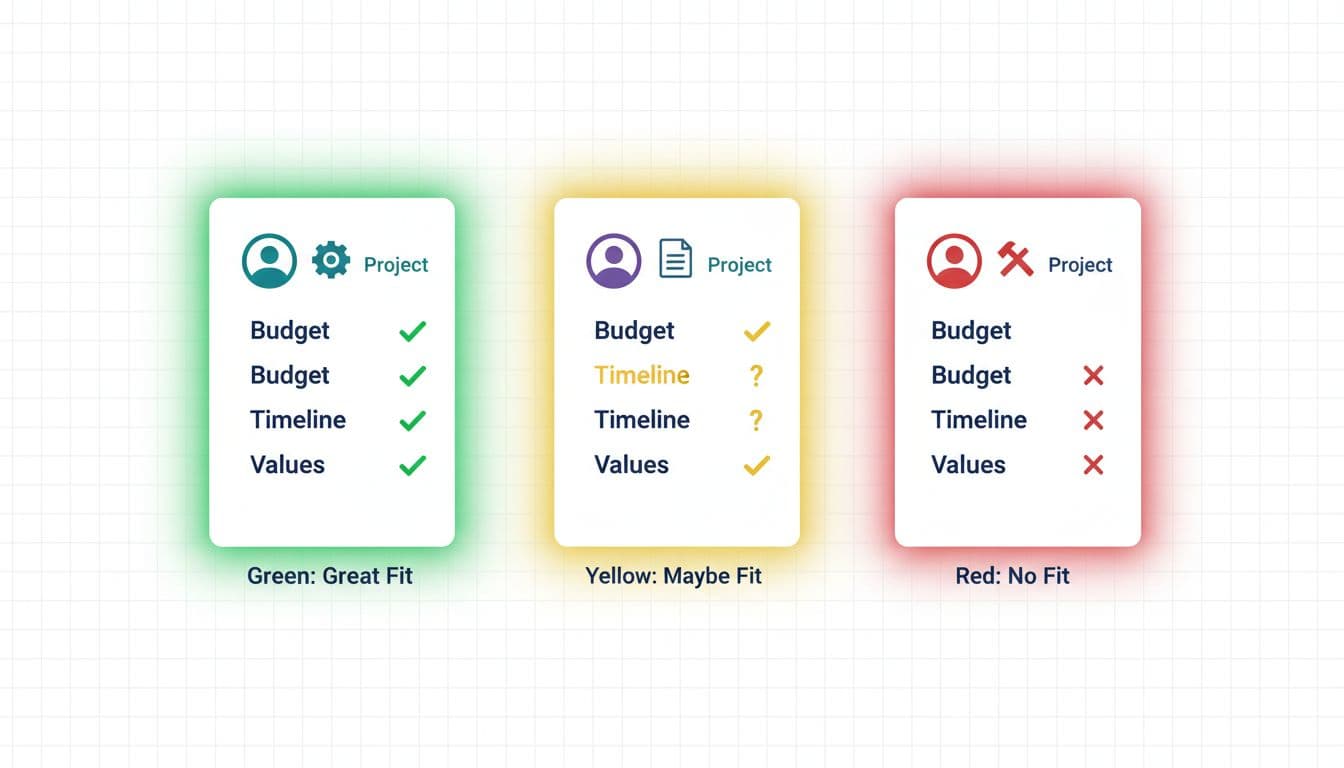
A discovery call should feel like a working meeting, not a performance. Your job is to confirm the facts, spot risks, and set expectations. Their job is to share context and decide if they trust your process. This discovery call is vital for lead generation and correctly qualifying prospects.
Use this question bank (pick 8 to 10 per call):
- What’s happening now that makes this urgent?
- What have you already tried, and what did you learn?
- What’s the decision path on your side? (who decides, who pays, who must approve)
- What does your timeline look like, realistically?
- What does your budget include, and what’s flexible?
- What does a “normal” week of communication look like for you?
- How do you like feedback handled? (async notes, live review, recorded walkthrough)
- What would make this project feel like a failure?
- Are there any legal, brand, or compliance constraints?
- If we disagree on approach, how do you prefer to resolve it?
Then score the lead while it’s fresh as part of your vetting process. Keep it simple and repeatable with this screening process:
| Criteria | Green (2) | Yellow (1) | Red (0) |
|---|---|---|---|
| Scope clarity | Clear outcomes and deliverables for profitable projects | Some gaps, needs shaping | Vague or shifting |
| Budget fit | Matches your range | Tight, may need phases | Can’t fund it |
| Timeline | Realistic | Possible with trade-offs | Urgent, unrealistic |
| Decision access | Direct access to decision-makers | Shared decision, some risk | No clear authority |
| Trust and working style | Respects process | Some friction | Pushy, dismissive |
| Total score | 8 to 10 = Green | 5 to 7 = Yellow | 0 to 4 = Red |
How this looks in real life:
Web design: A “Red” loaded with red flags often sounds like, “We need a full site in 10 days, we’ll send content later, and we want unlimited revisions.” A “Green” sounds like, “We can approve copy weekly, we have brand assets, and we want a site that drives consult bookings.”
Marketing consulting: A “Red” full of red flags often shows up as, “We want you to fix our leads, but we won’t share numbers.” A “Green” sounds like, “Here are our last 6 months of results, and we’re open to changing the offer.”
Handle edge cases with care (and keep relationships intact)
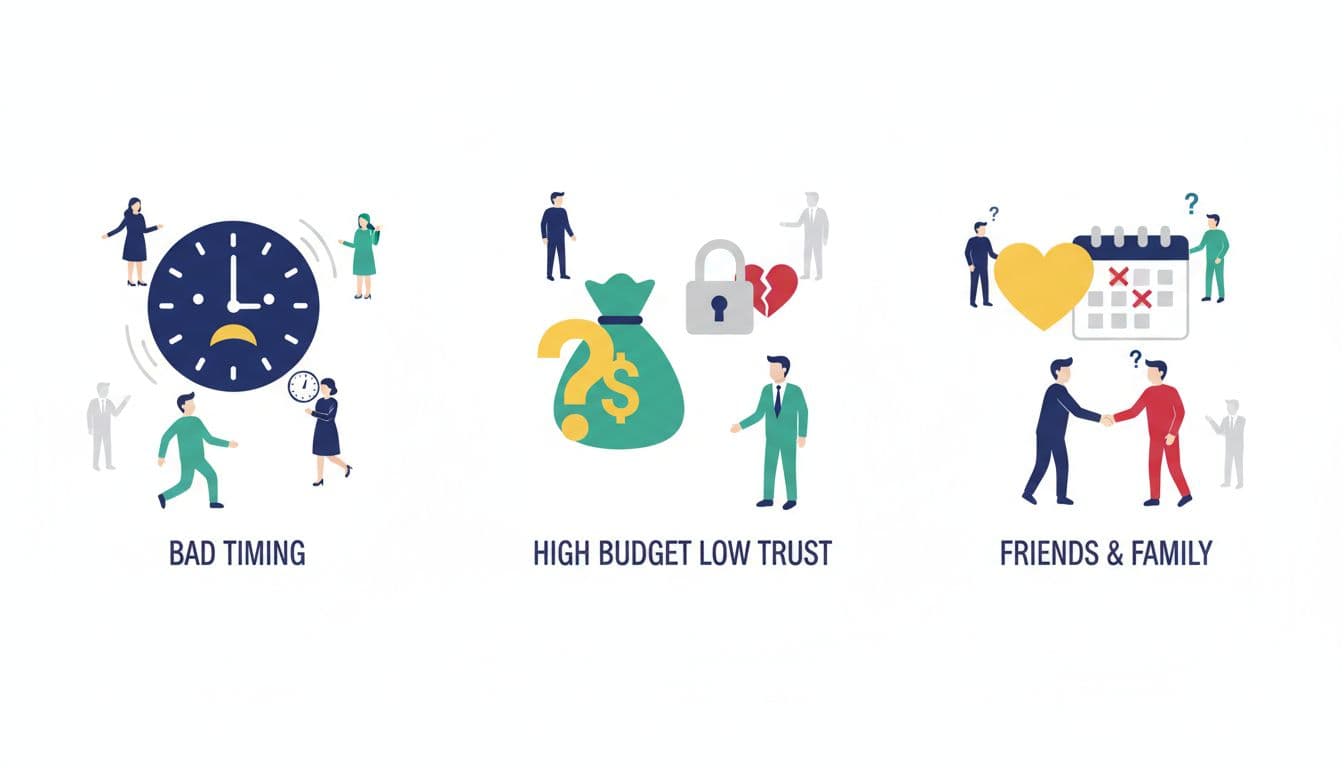
While high-quality leads fit neatly into a score, some don’t, even after evaluating factors like a lead’s communication style. Here are three common ones, with professional ways to respond.
Great people, bad timing: They’re respectful, but the deadline or life situation makes the project risky. Offer a waitlist, a smaller “Phase 1,” or a future start date.
High budget, low trust: Money’s there, but they question every boundary, want control over your tools, or push for constant access, all of which test your boundary setting. This is often where the headaches live. Trust is part of the budget.
Friends and family: It can work, but it needs extra structure, including the effort of qualifying prospects. If you sense awkwardness around payment or feedback, refer out. Protect the relationship.
Three short email scripts you can copy and store in your CRM software
1) Polite decline (Red)
Subject: About your project
Hi [Name], thanks for sharing the details. After reviewing your goals and timeline, I’m not the right fit for this project. I don’t want to take this on and risk missing what you need. If you’d like, I can connect you with someone from my referral network who may be a better match.
2) Ask for more info (Yellow)
Subject: Quick follow-up before we book
Hi [Name], thanks, I’m close to confirming fit. Can you reply with (1) your target launch date and reason, (2) your budget range, and (3) who will approve final decisions? Once I have that, I’ll suggest the best next step.
3) Refer-out (not your service)
Subject: Recommendation for your request
Hi [Name], I’m not the best person for this type of work, but I know someone who focuses on it. If you’d like, I can connect you with [Referral Name] (with your permission). If you prefer, I can also suggest a different direction that fits your goals.
Quick implementation checklist and next steps
Set up your client fit filter this week:
- Write your Green client description, defining your target audience (budget, timeline, working style).
- Add the intake form to your website and link it in your email signature.
- Put a budget range on the form (or a starting price on your site).
- Use scheduling tools and the discovery call question bank for every call.
- Score each lead as Red, Yellow, or Green right after the call.
- For Yellow leads, offer a paid consulting call or a productized consulting engagement.
- Track outcomes for 30 days to refine your business development workflow (fit score, close rate, project stress level).
- Update boundaries in your proposal (revisions, timelines, communication).
Conclusion: Client Fit Filter For Better Leads
A client intake process doesn’t shrink your business. It protects it and boosts your lead generation. When you choose fit on purpose through this client intake process, you spend less time managing messes and more time doing work you’re proud to put your name on.